Contract your maintenance directly with Daikin
Daikin offers you the option of contracting the maintenance of your equipment directly with us, ensuring your Altherma is in the best hands. With Daikin, you can extend your warranty to five years on parts and ten years on labor if you contract maintenance within the first six months.

How?
Register your installation at www.standbyme.daikin.it using the code provided by the Official Technical Service during commissioning. Once registered, follow these simple steps to contract maintenance:
Step 1
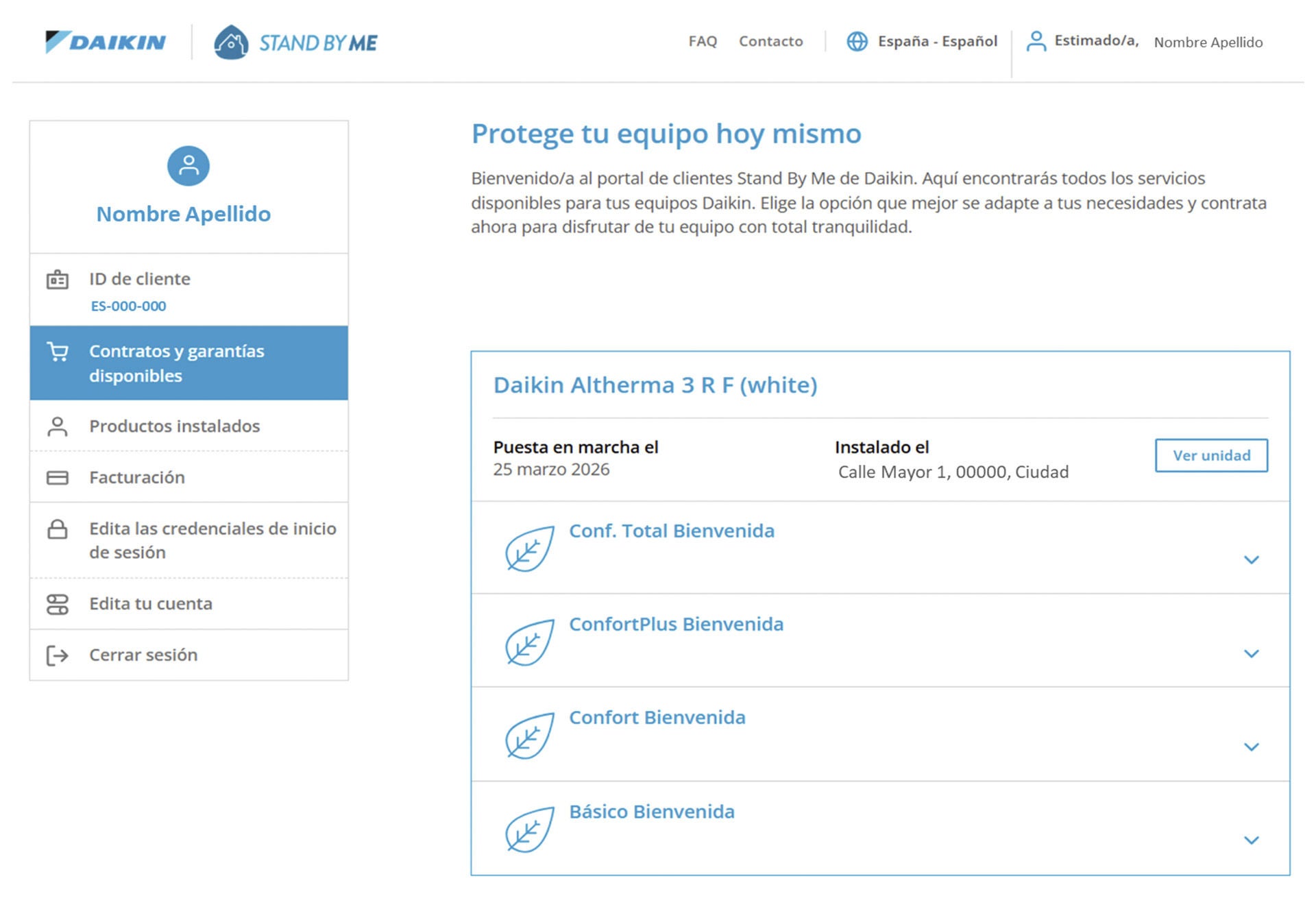
Within your profile, go to the "Available Contracts and Guarantees" section and select the contract that best suits your needs. Once you've chosen a plan, click the "Order this package" button.
Step 2
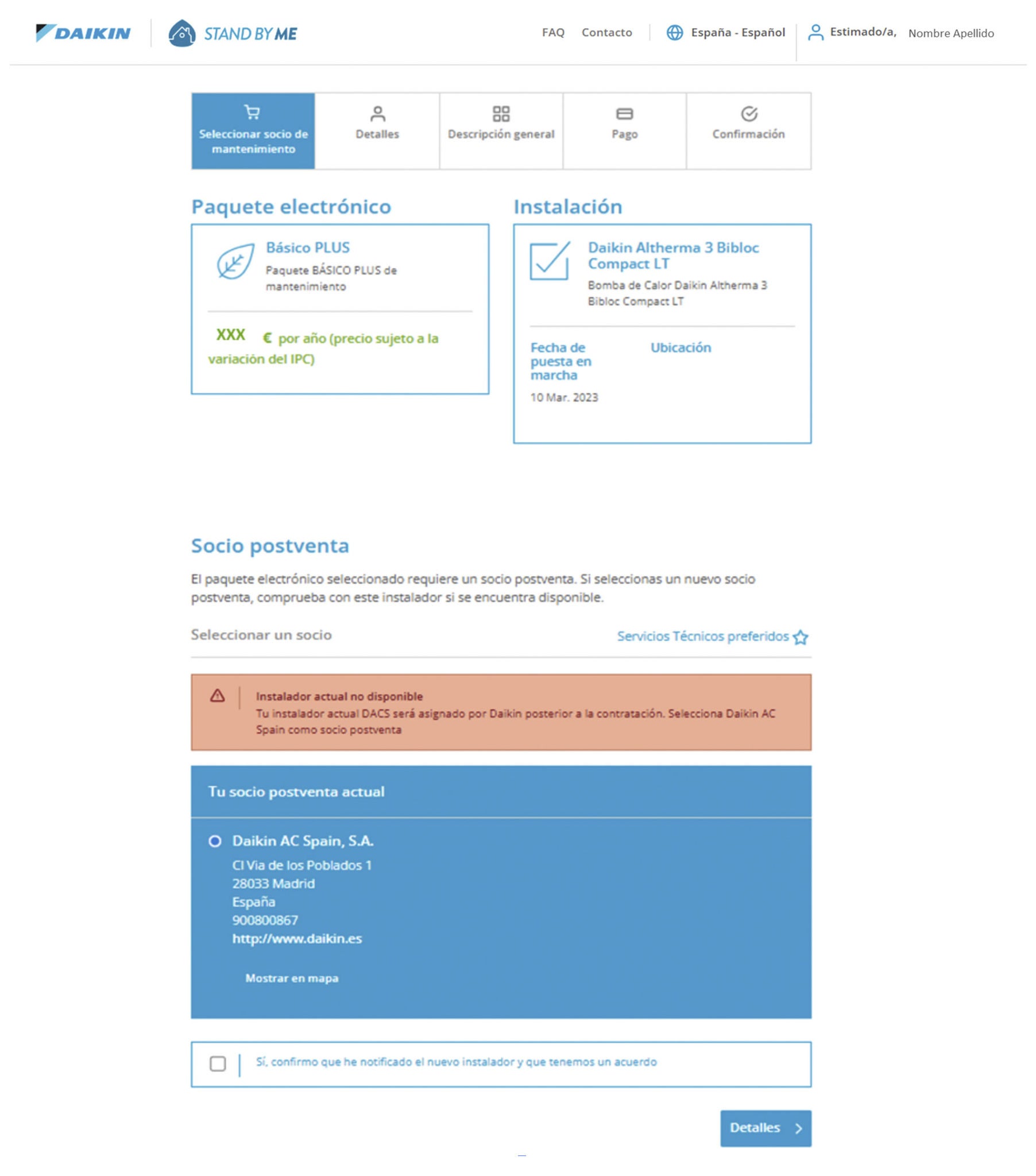
In the "select maintenance partner" tab, you must select Daikin Italy as your after-sales partner and then click on the "Details" button.
Step 3
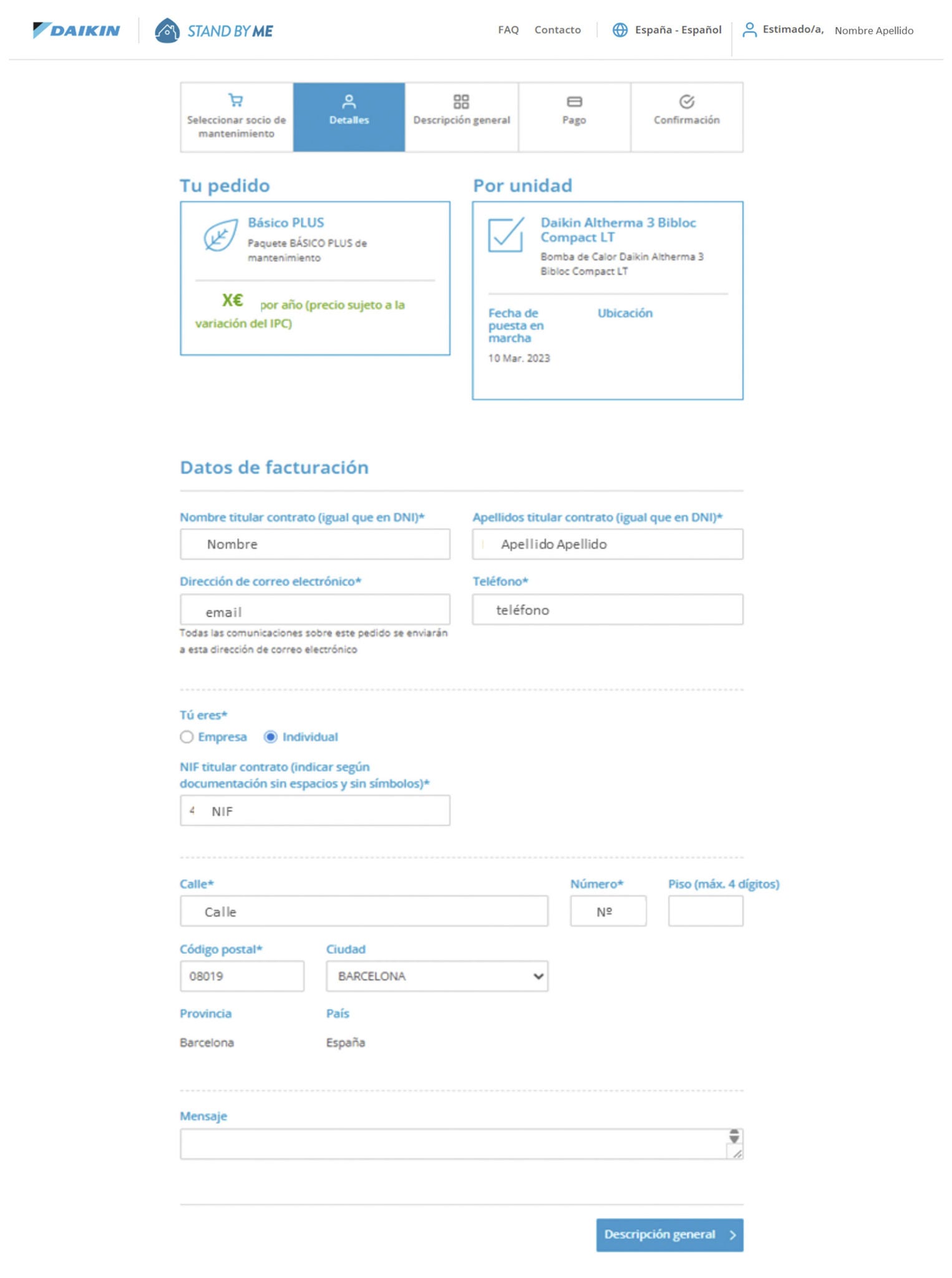
On the "Details" tab, you can verify that your information is correct. Once verified, click on the "Overview" button.
Step 4
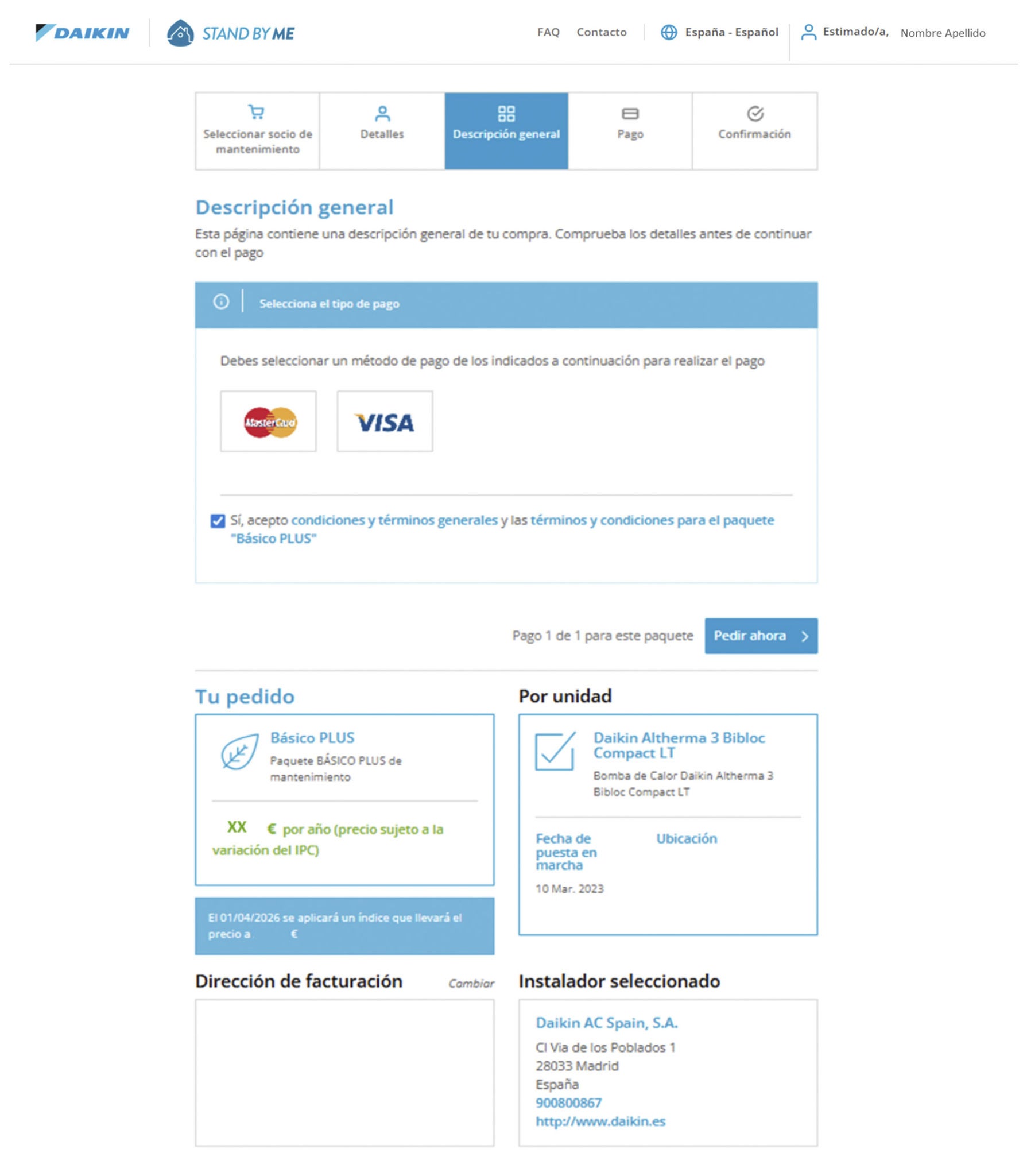
On the "Overview" tab, select your payment method (Visa or Mastercard) and accept the terms and conditions. Click "Order Now".
Step 5
Make the payment online.
Important: Keep clicking the green buttons until you return to the "Payment" section of the Stand By Me website. After payment, you will be taken to the "Purchase Confirmation" tab.
If you receive an error message, it means something went wrong while completing the form. The system will indicate in red which field was filled out incorrectly.
In case of an error during the payment process, you will receive an email to try the payment again directly without having to go through the process again.
Once you've made your purchase, you can check your order in the "Billing" section of your Stand By Me profile. You will receive a purchase confirmation email.